HEIC to JPG Converter
Drop files here or tap to browse
Converted in your browser · nothing is uploaded
85% keeps detail while staying small
Files are converted on your device. They are never sent to a server.
Why iPhone photos are HEIC
Since iOS 11, iPhones save photos as HEIC instead of JPG. The format stores the same image in roughly half the space, which is why Apple adopted it. The problem is everything else: many Windows programs, older Android phones, web upload forms, and print shops still cannot open a .heic file.
Converting to JPG solves that permanently. The photo becomes slightly larger on disk but will open on any device made in the last twenty years.
How to convert HEIC to JPG
- Drop your
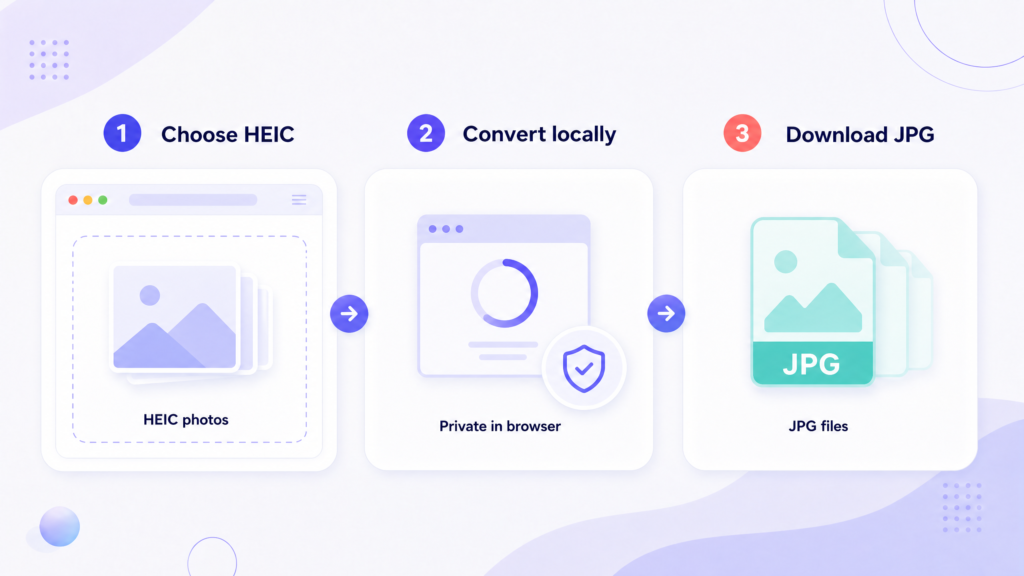
.heicfiles into the box above, or tap to pick them from your camera roll. - Leave the format on JPG. Set a max width if the photos are only going online.
- Press Convert to JPG, then download them one by one or as a ZIP.
Decoding happens on your device, so the photos never leave your phone or computer. That matters more than usual for personal photos — most online HEIC converters upload your camera roll to a server you know nothing about.
Stop your iPhone making HEIC files
If you would rather not convert photos again, change the camera setting: open Settings → Camera → Formats and choose Most Compatible. New photos will be saved as JPG from that point on. Existing photos stay HEIC, so you will still need to convert those.
There is a trade-off. Most Compatible roughly doubles the storage each photo uses, which adds up quickly on a 64 GB phone. If storage is tight, leave the setting alone and convert only the photos you actually need to share.
Frequently asked questions
Why is the JPG bigger than the HEIC?
HEIC compresses more efficiently. The same photo as JPG is typically 1.5–2× larger. Lower the quality slider to around 80% to close most of that gap with no visible difference.
Can I convert many photos at once?
Yes, up to 20 per batch. Use Download ZIP to save them in a single file.
Does it work on iPhone?
Yes. Convert straight from Safari — files land in your Files app under Downloads.
Will I lose photo quality?
There is one re-encoding step, so at 100% quality the loss is not visible. Anything at 80% or above is safe for normal viewing and printing.
What about Live Photos?
Only the still frame is converted. The motion part of a Live Photo is stored separately and is not included.
Are my photos uploaded?
No. Conversion runs in your browser. Nothing is transmitted or stored.
Shrink your photos next
JPG files from a phone camera are large. Cut them down before uploading anywhere.